Tenant Registration Flow
Let's walk through exactly what happens when a new customer signs up on your SaaS platform. Understanding this flow helps you troubleshoot issues and optimize the experience.
Watch the Video Tutorial
The Complete Flow
Step 1: Customer Visits Your Landing Page
The customer finds your landing page (either through your marketing, a direct link, or search engine) and sees your pricing plans.
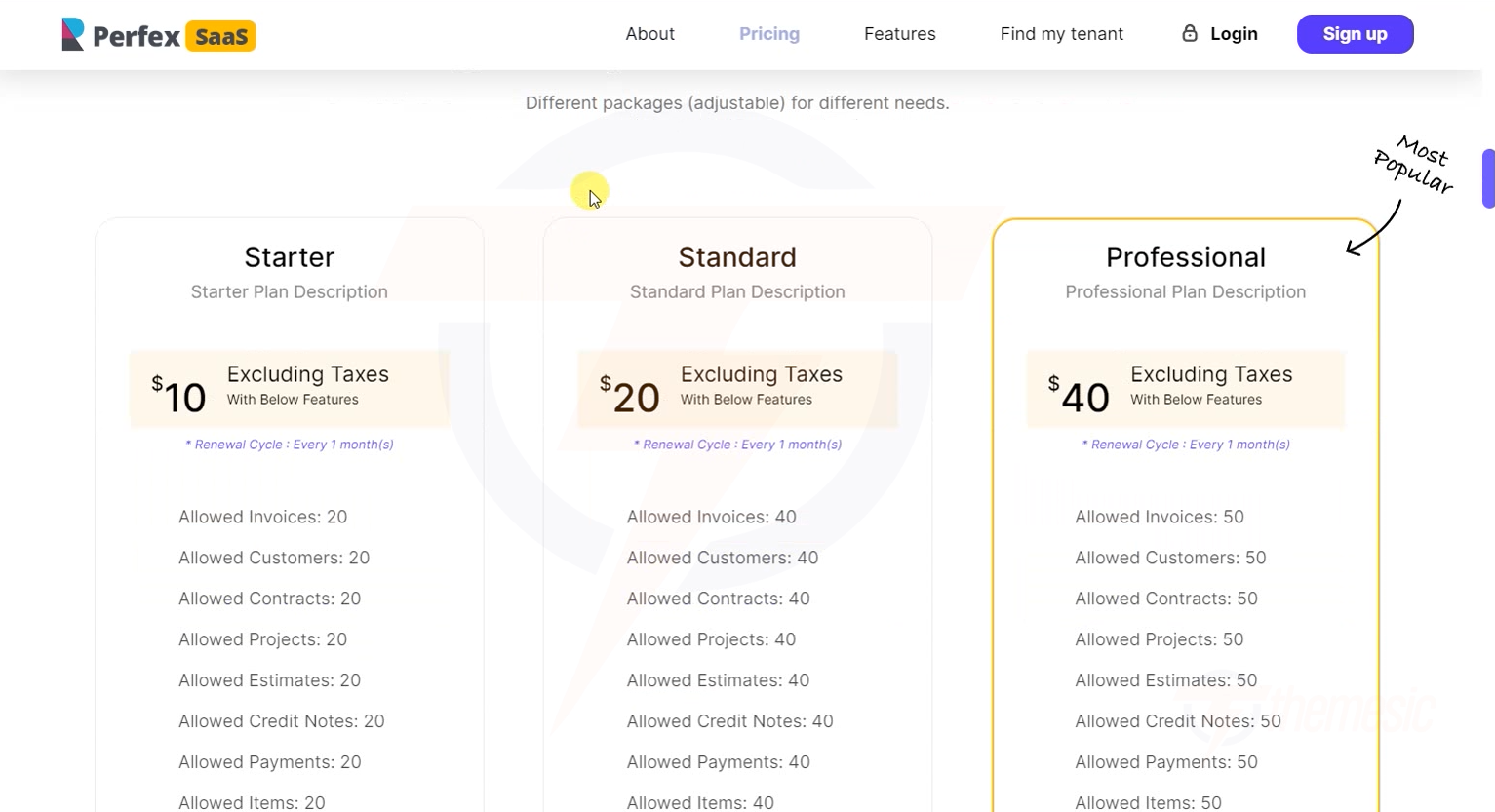 Customers see your plans with clear pricing and feature comparison
Step 2: Customer Clicks "Get Started" / "Sign Up"
They choose a plan and are taken to the registration form.
Step 3: Customer Fills In the Registration Form
The registration form collects essential information:
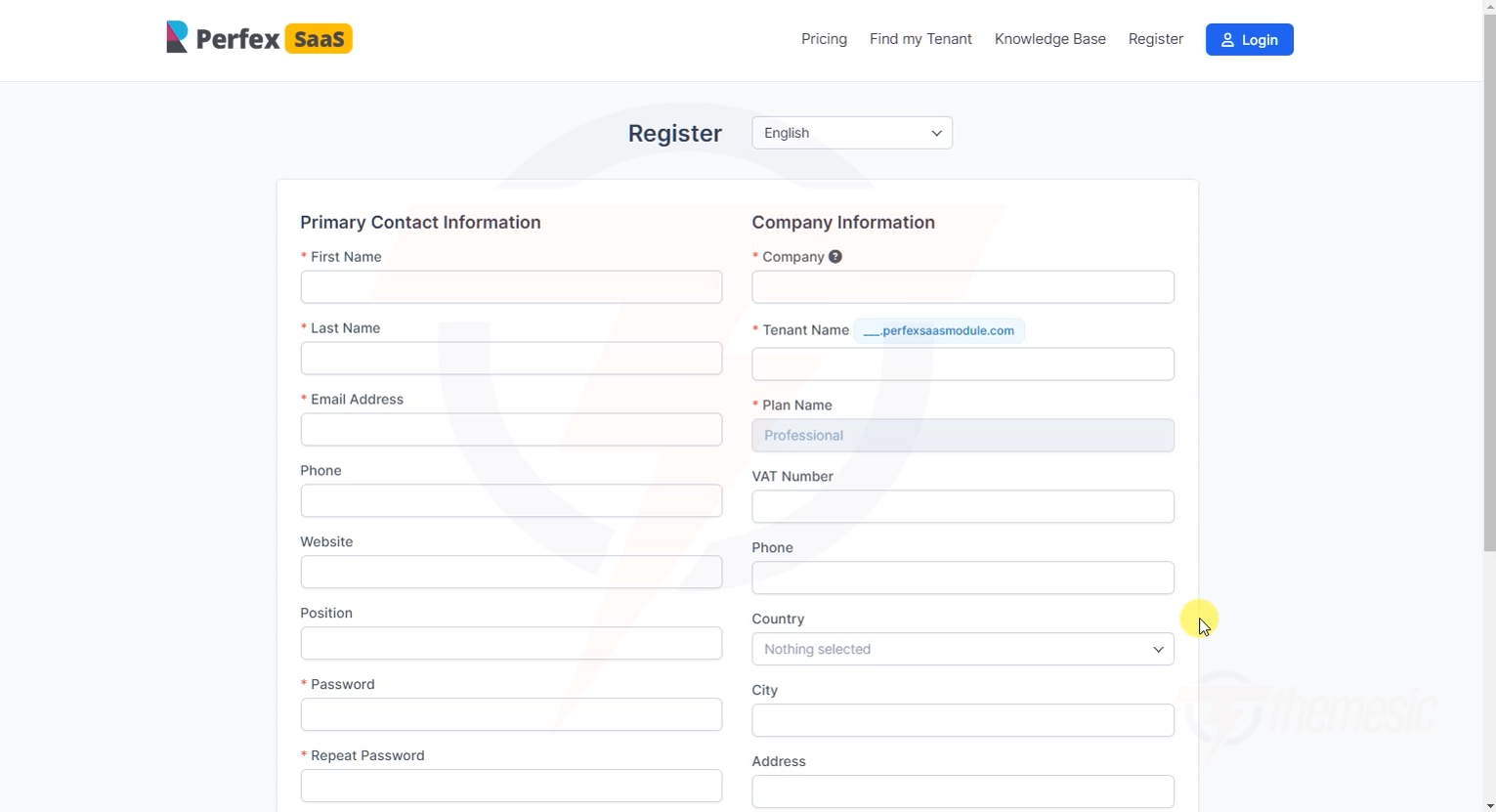 The registration form - simple and clean with Primary Contact and Company Information fields
The form includes:
Primary Contact (Personal Details):
| Field | Required? | Description |
|---|---|---|
| First Name | Yes | Tenant's first name |
| Last Name | Yes | Tenant's last name |
| Yes | Will be used for login and communication | |
| Password | Yes | Account password |
Company Information:
| Field | Required? | Description |
|---|---|---|
| Company Name | Yes | The name of the tenant's business |
| Company Subdomain/URL | Yes | Their desired subdomain (e.g., "acme" → acme.yoursite.com) |
| Plan Selection | Yes | Which plan they're signing up for |
Step 4: Email Verification (If Enabled)
If you've enabled email verification in Tenant Settings, the customer sees a verification screen:
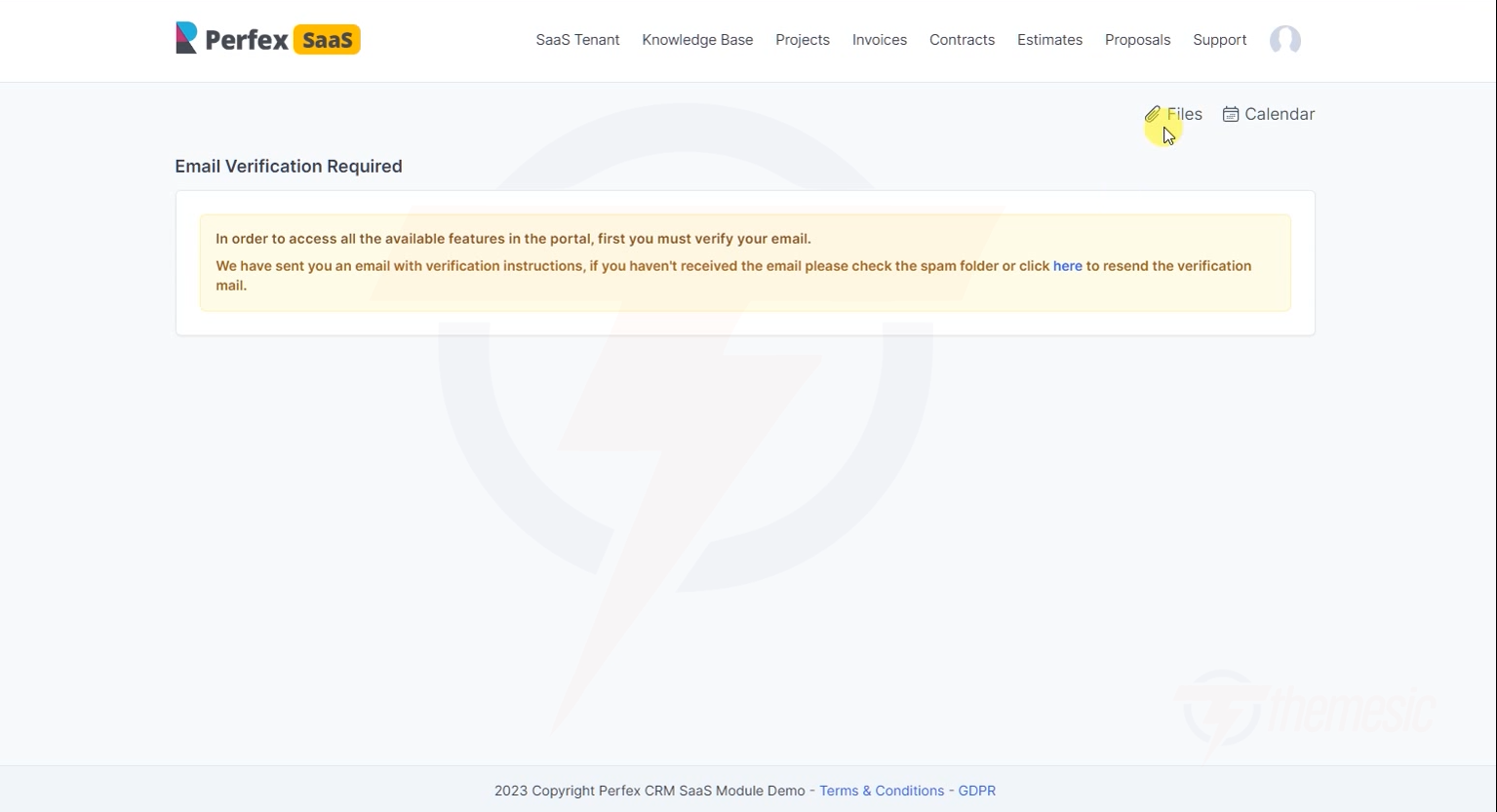 After registration, tenants see this page asking them to verify their email
They receive two emails:
Email 1: Welcome Email
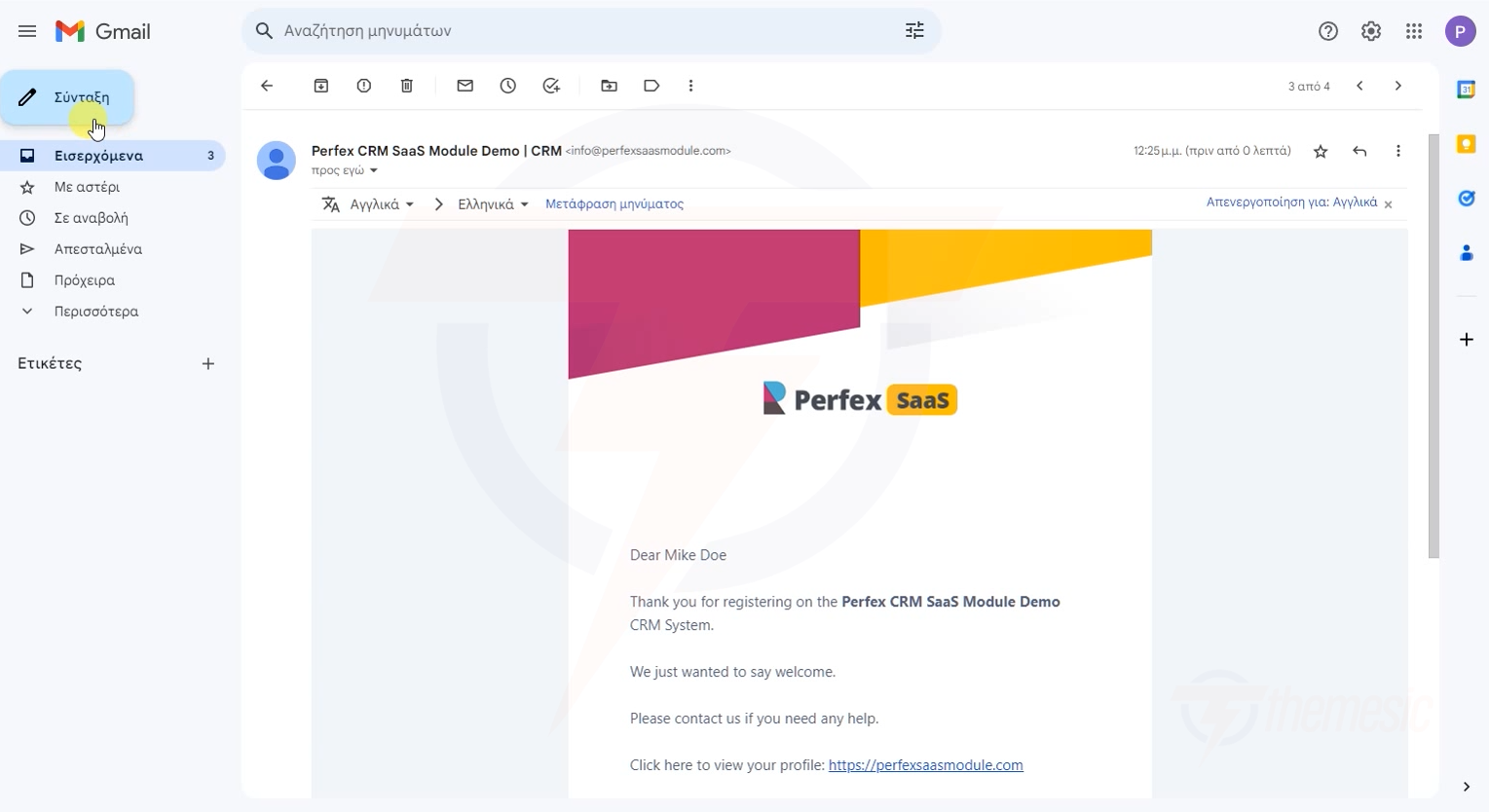 A professional welcome email with their account details
Email 2: Verification Link
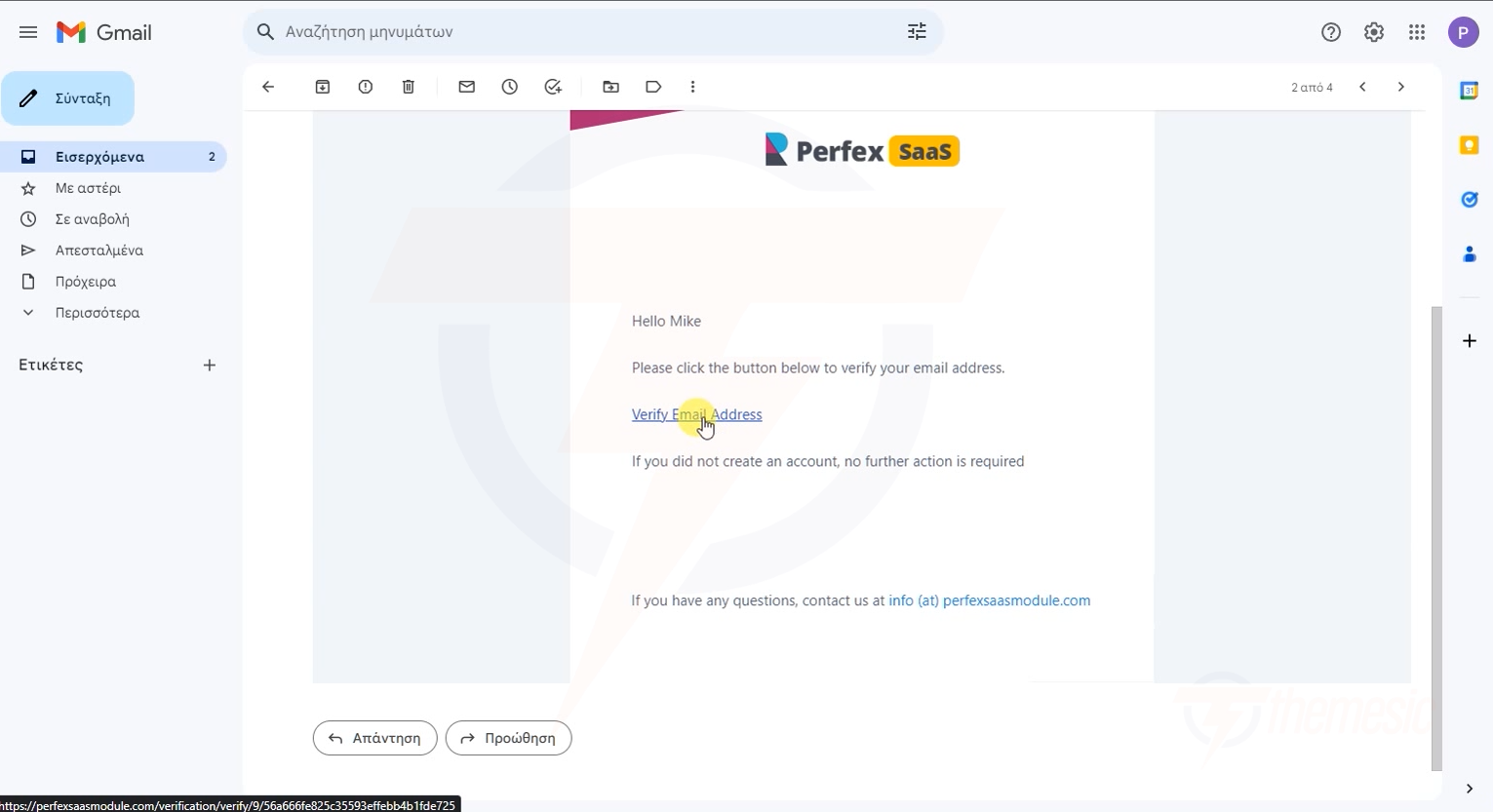 The verification email with a click-to-verify link
Step 5: Tenant Accesses Their CRM
After verification (or immediately, if verification is disabled), the tenant can access their CRM:
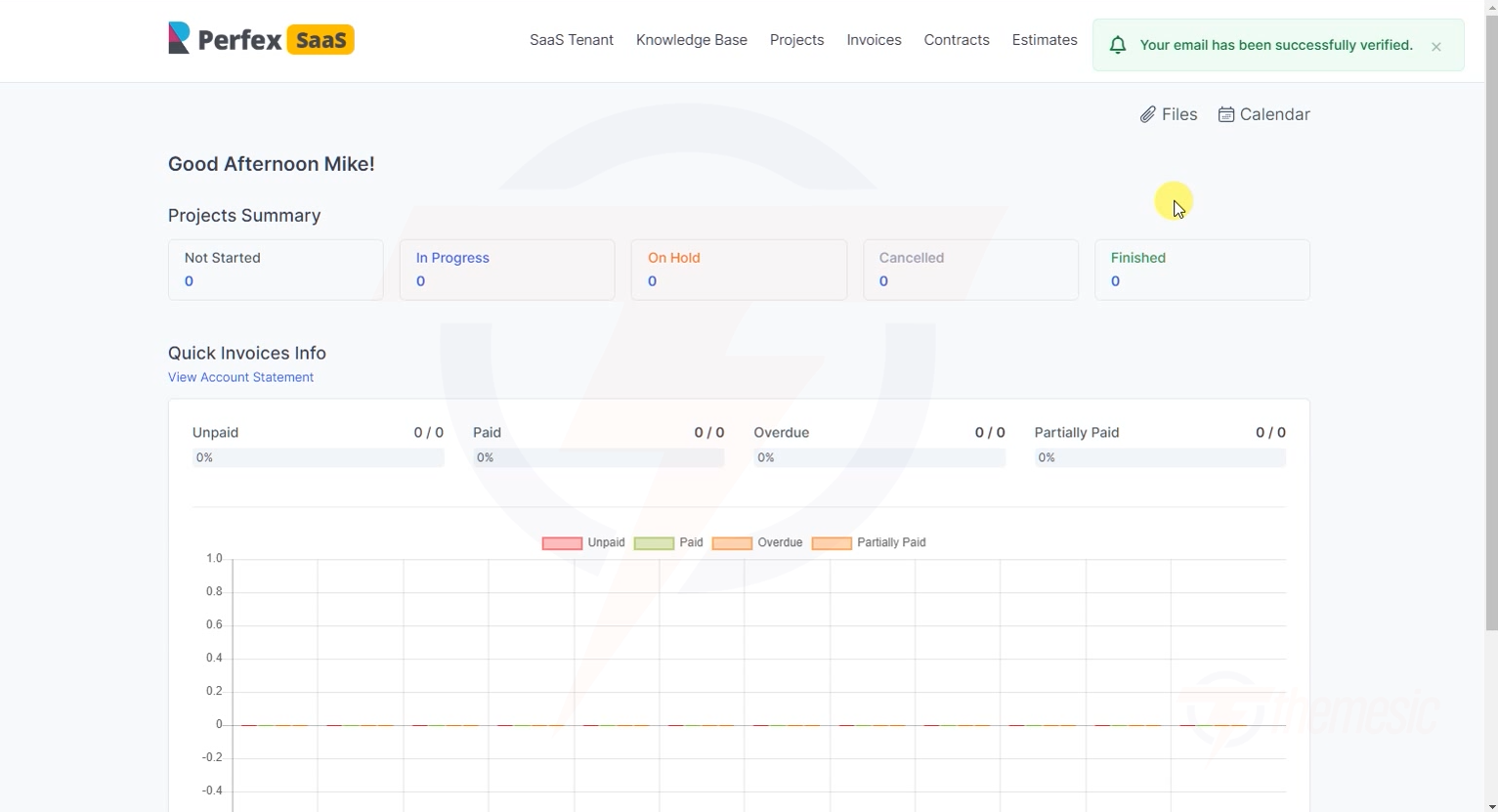 The tenant's CRM dashboard - fully functional from day one with their own data space
What Happens Behind the Scenes
Here's what the module does automatically during registration:
Customer submits registration form
        ↓
Module validates the form data
        ↓
Module creates a new Client record in Perfex CRM
        ↓
Module creates a new MySQL database for the tenant
        ↓
Module populates the database with Perfex CRM tables
        ↓
Module configures the tenant's subdomain/subdirectory
        ↓
Module creates the tenant's admin account
        ↓
Module sends welcome email + verification email
        ↓
Tenant record appears in your admin panel ✅
All of this happens in seconds - your customer goes from clicking "Sign Up" to having a fully functional CRM in under a minute!
Customizing the Registration Experience
Custom Registration Fields
You can customize the registration form through Perfex CRM's custom fields feature. Go to Setup → Custom Fields and add fields for the Customers group.
Custom Email Templates
Customize the welcome and verification emails:
- Go to Setup → Email Templates
- Look for the SaaS-related templates
- Edit the subject and body as needed
Registration Page Appearance
Customize the look of the registration form through the Landing Page Builder.
Conversion Tip: Keep the registration form as short as possible. Every additional field reduces signups. Collect only what you need - you can always ask for more information later.
Understand the registration flow? Learn how to create tenants manually as an admin for cases where you onboard customers directly.