Flat Theme for Perfex CRM
A modern flat design theme for the Perfex CRM customers (frontend) area.
Overview
The Flat Theme replaces the default Perfex CRM customer-facing interface with a clean, contemporary flat design. It enhances the visual appearance of the customers portal --- including the login page, dashboard, invoices, estimates, proposals, and all other customer-accessible areas --- without altering any core CRM functionality.
The Flat Theme only affects the customers (frontend) area. The admin panel remains unchanged and continues to use the default Perfex CRM admin theme.
Requirements
Before installing the Flat Theme, ensure you have:
- An active Perfex CRM installation
- Administrator access to the Perfex CRM admin panel
- A valid Envato purchase key from your CodeCanyon download
Installation
The Flat Theme is installed as a module via the Perfex CRM admin panel.
-
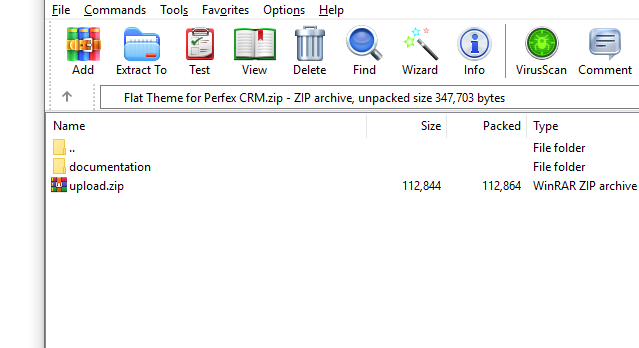
Download the theme from CodeCanyon and extract the zip you received. Inside you will find:
- documentation --- this folder (instructions and readme; you can keep it for reference).
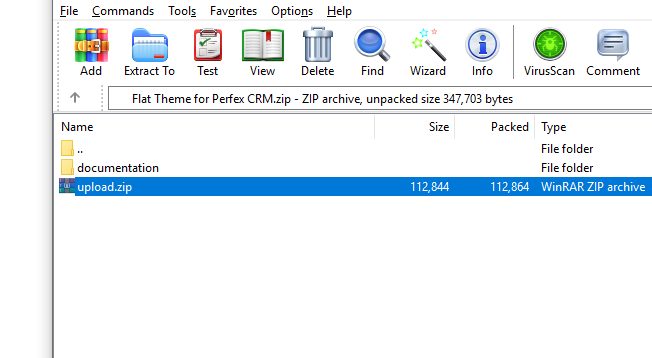
- upload.zip --- the Flat Theme module for Perfex CRM.
-
Log in to Perfex CRM as administrator. Go to Setup → Modules. Upload the upload.zip file using the module upload area. The Flat Theme module will appear in the list.
-
Click Activate on the Flat Theme module. When prompted, enter your Envato purchase key (the license code from your CodeCanyon download page). Submit to verify and activate the module.
Not sure where to find your purchase key? Check this Envato guide.
What's Next?
- Activation --- Enable the Flat Theme as the default customers theme in your Perfex CRM settings.
Support
If you encounter any issues during installation or have questions about the theme, visit the Themesic Support Portal to open a support ticket.