Homepage & Marketing Sections
Vertex ships with 30+ homepage-ready sections designed for B2B and industrial-supply storefronts: hero rotators, editorial multicolumns, trust marks, KPI bars, FAQ accordions with rich snippets built in, conversion banners, and dual sections that combine two related ideas in one band (brands plus quick-order, resources plus FAQ).
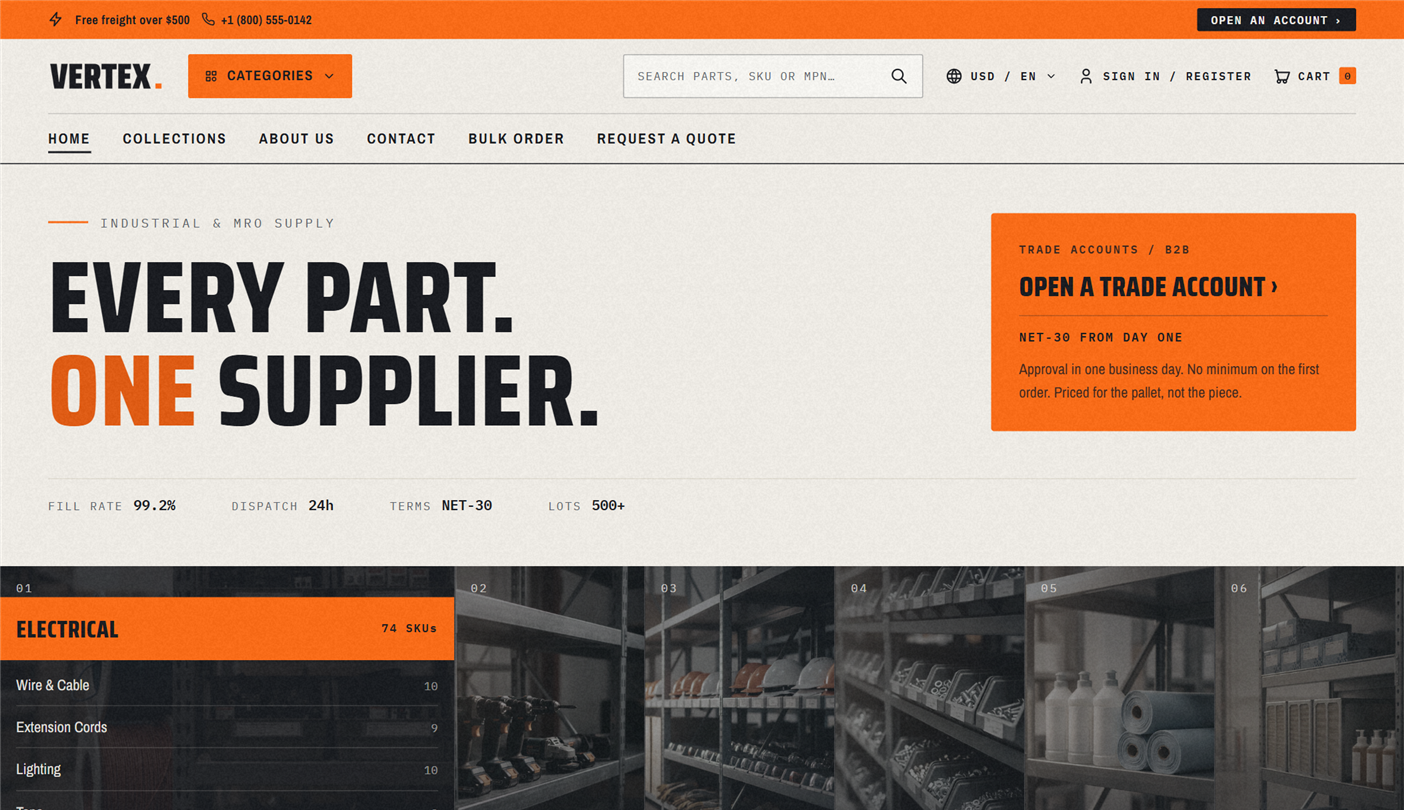
Every section here is a standalone, drag-and-drop section. Open Shopify admin → Online Store → Themes → Customize, then drag sections into any order. You don't have to use them on the homepage either — drop them on your About, Services, or any custom page.
Hero & opening sections
Hero
Multi-slide rotator with auto-advance, dot navigation, and editorial composition (eyebrow text, headline, subhead, and two call-to-action buttons). It defaults to one slide for the fastest page load — additional slides are optional polish.
Per-slide settings: image (mobile-aware), eyebrow text, headline, subhead, primary call-to-action label and URL, secondary call-to-action label and URL, alignment (left or center).
Section settings: auto-advance interval in seconds, show dots toggle, color scheme.
Keep the homepage to a single hero slide if page speed is a priority. Each extra slide adds a large image to the initial page load. The default ships with one slide for this reason.
Featured collection
Product grid that pulls from a collection you pick.
Settings: collection picker, heading, products per row (2 / 3 / 4 / 5), columns on mobile (1 / 2), show View all link, color scheme.
Collection list
Category grid with image overlays and titles centered over each tile. Adjust columns and image shape.
Editorial blocks
Image with text
Classic 50/50 or asymmetric image plus text pairing. Useful for About us, Our process, and Why us.
Settings: image, heading, body text, call-to-action label and URL, layout (image left or image right), color scheme.
Multicolumn
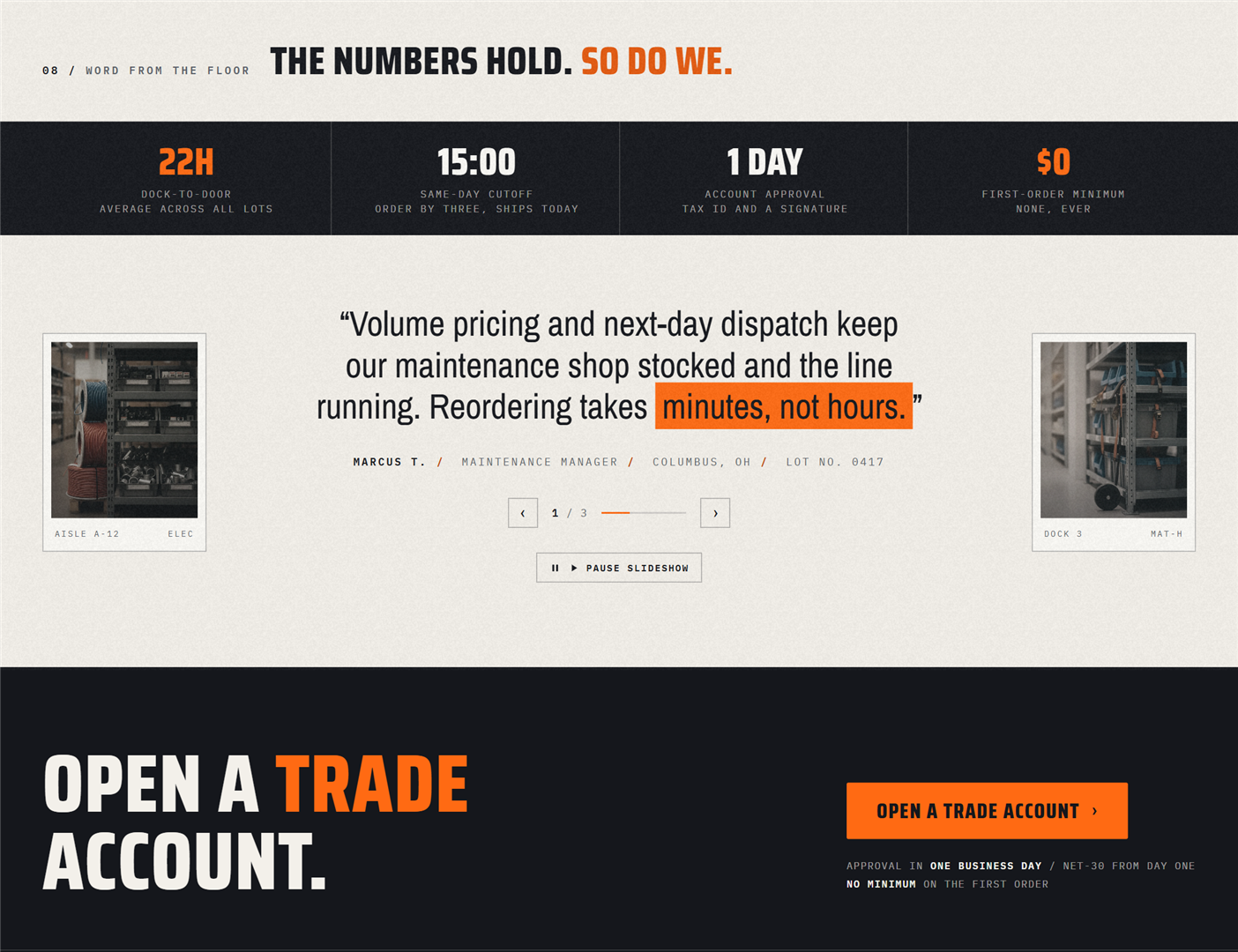
2, 3, or 4 column grid. Each column has an icon (or image), heading, body, and optional link. Use it for value propositions — Same-day dispatch · NET-30 · Volume pricing · ISO 9001 certified.
Per-column settings: icon image, heading, body, link label and URL.
Rich text
Centered intro or about block. Heading, body text, and an optional call-to-action button. Use sparingly — this is the "page break" block.
Timeline
Year and milestone chronicle for an About page. Per block: year, title, body.
Trust & social proof
Testimonials
Rated cards with avatar-overlap header treatment. Each card has a rating (1 to 5 stars), quote, customer name, role, company, and avatar image.
Per-block settings: name, role, company, quote, rating (1–5), avatar image.
Logo list
Marquee-scrolling brand logos with fading grid lines. Use it for Trusted by, As featured in, or Brands we carry.
Per-block settings: logo image, optional URL. Section settings: scroll speed, show grid lines.
Press coverage
Logo strip plus pull quotes. Combines press logos with short attributed quotes — "...the McMaster-Carr of WordPress." — Trade Weekly.
Stats bar
Dark-mode KPI band. Use it for headline numbers — 40,000+ SKUs · NET-30 · 24-hr Dispatch · ISO 9001.
Per-block settings: number (large text), label (small text).
"40,000+ SKUs" reads stronger than "40,127 SKUs" and doesn't require updating the section every time inventory shifts. The same goes for order volume.
Conversion & CTA
CTA banner
Pre-footer call-to-action with an overlap-into-footer effect — the band visually breaks into the footer for editorial polish.
Settings: heading, subhead, primary call-to-action, secondary call-to-action, optional image, Hide for B2B customers toggle.
The Hide for B2B customers toggle is small but important. If the call-to-action reads "Become a dealer" or "Request a quote", you don't want it shown to buyers who are already signed-in dealers. Flip this toggle on and the section vanishes for them.
Newsletter
Email opt-in with subscribe button. Uses Shopify's native newsletter form, so subscribers land in your Shopify customer list with the newsletter marketing flag.
Industries grid
Editorial card grid for showcasing the verticals you serve — HVAC · Manufacturing · Facilities · Marine · Aerospace.
Per-block settings: image, title, link.
Resource hub
Downloads list for datasheets, MSDS, brochures, and certifications. Each entry is a file link.
Per-block settings: title, file (PDF), description, optional icon.
Services grid
Image-overlay tiles for service offerings — Cut to size · Custom kitting · Onsite consultation · Inventory management.
FAQ
FAQ
Disclosure-based accordion with full keyboard and screen-reader support. Adds FAQ rich snippets automatically so your FAQs can appear in Google search results.
Per-block settings: question, answer.
The section adds the Google rich-snippet markup automatically — you'll get FAQ rich snippets in search results without touching code. Make sure the questions are real questions buyers ask (not marketing copy), since Google's content guidelines apply.
Dual-purpose merged sections
Some sections combine two ideas in one band, saving vertical space and creating editorial rhythm.
Dual: Brands + Quick-order
50/50 merged: a brand-logo grid on one side and a quick-order paste-to-cart pad on the other. Great for B2B homepages where you want to surface trust marks AND a conversion path in the same band.
Dual: Resources + FAQ
50/50 merged: resource downloads (datasheets, brochures) on one side, FAQ accordion on the other. A common pairing for support-heavy industries.
Section ordering recommendations
A suggested order for an MRO or industrial supply homepage:
- Hero — the value proposition plus primary call-to-action (catalog vs. RFQ)
- Stats bar — instant credibility marks
- Featured collection — best sellers or top-of-funnel category
- Multicolumn — Why us in three columns
- Industries grid — the verticals you serve
- Logo list — brands you carry
- Dual: Brands + Quick-order — pair with the trade-list call-to-action
- Testimonials — buyer quotes with ratings
- Resource hub — downloads
- FAQ — top objections
- CTA banner — Request a quote (hidden for signed-in B2B)
- Newsletter — trade-list signup
What's next
- Product page sections → — Main product, tabs, related products, recently viewed, sticky cart
- B2B-only sections → — B2B feature promo, bulk order, RFQ, compare
- Sales boost sections → — Promo banner, countdown, bundles, stock counter
- Theme settings reference → — Color schemes, typography, layout settings