Vertex's 4 Demo Storefronts — Vertex, Throttle, OfficeIT, Inkline
One Vertex theme license. Four production-ready storefront looks. Each preset is tuned for a specific B2B / B2C industrial vertical — different accent colors, different homepage compositions, different finders, different lifestyle imagery, different copy hooks. Switching between them is one click in the theme editor (permanent) or one URL parameter (temporary preview).
If you sell across multiple verticals — or you're deciding which vertical to lead with before launch — this is the guide that picks the right starting point for your storefront.
You do not need to buy Vertex four times. The 4 presets ship in the same theme. You can also remix them — pick the OfficeIT homepage but the Throttle accent color, or override any preset with your own brand palette. They are starting points, not locked-in templates.
Why 4 presets?
The Shopify Theme Store rewards themes that demonstrate range. A buyer scanning the theme directory wants to see their industry at a glance — not a generic "B2B theme" demo that they have to mentally translate into their use case.
Vertex addresses this by shipping four fully populated demo storefronts under one theme license. Each preset is:
- Industry-tuned — color, copy, hero composition, and homepage section order are picked for a specific buyer journey
- Finder-aware — auto parts gets a Make/Model/Year fitment finder; print supply gets a Printer Brand/Model/Color finder; the industrial preset has no finder (it relies on faceted collection navigation)
- Imagery-complete — about 9 hero, lifestyle, and industry-grid images per preset, all designed for that vertical's aesthetic. No stock-photo mismatch.
- Independently themeable — each preset has its own accent color, finder accents, and per-preset typography choices
The result: you can launch Vertex as an industrial MRO storefront, an auto-parts catalog, an office-supply distributor, or a print-shop supplier without commissioning any custom design.
The 4 presets in detail
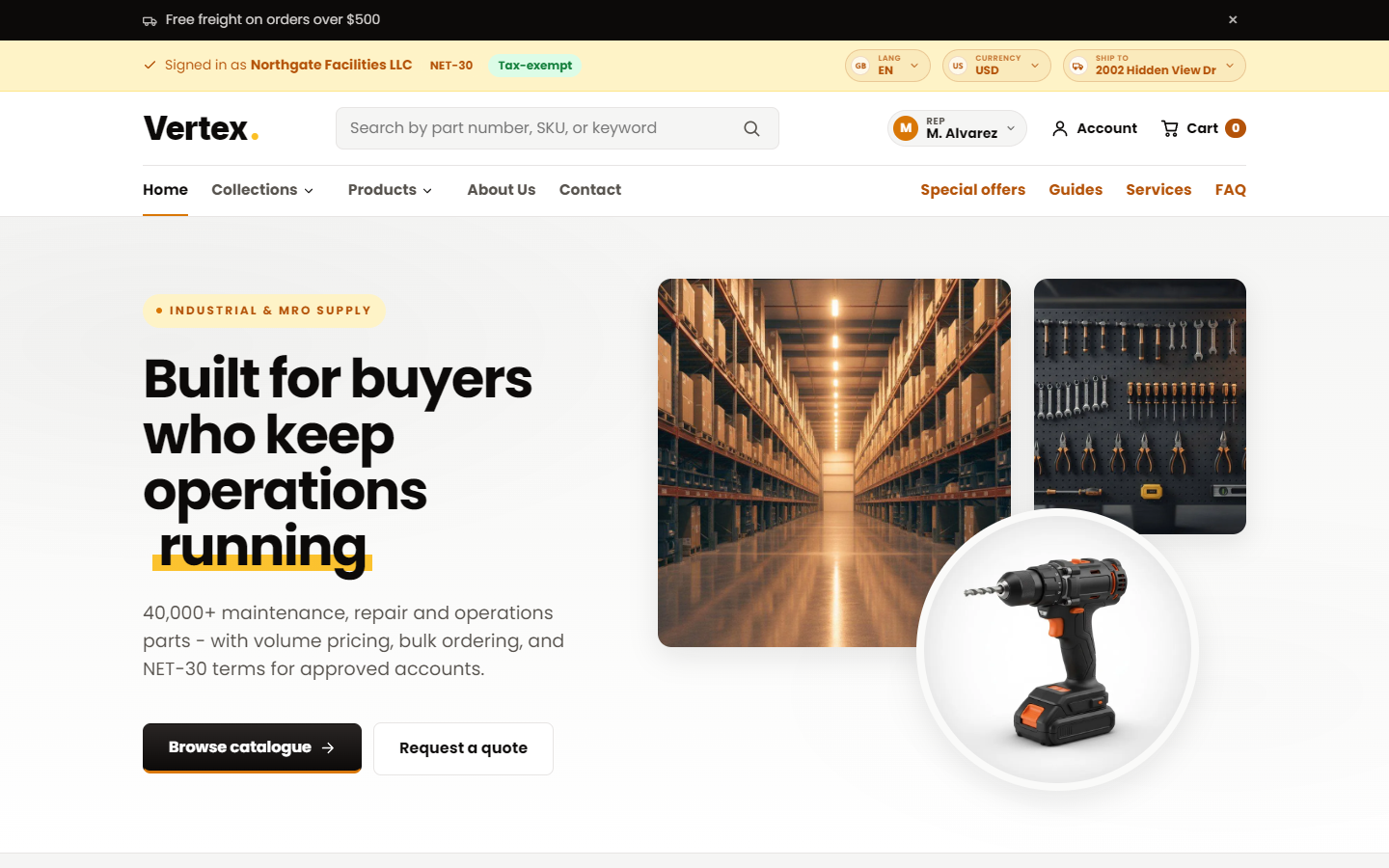
Preset 1 — Vertex (default)
| Industry | Industrial supply, MRO, hardware, fasteners, hand tools, fluids, abrasives |
| Accent color | Amber |
| Finder | None — relies on faceted filters and predictive search |
| Homepage hero | Bold typography and workshop / warehouse lifestyle imagery |
| B2B hooks | "Volume pricing", "NET-30 available", "ISO 9001 certified", "24-hr dispatch" |
| Best for | Generic industrial distributors, MRO suppliers, fastener and hardware merchants, tool catalogs, JanSan suppliers |
This is the default. When you install Vertex from the Shopify Theme Store, this is what loads. The amber accent maps to a warm, industrial, McMaster-Carr / Grainger / Fastenal visual language that procurement buyers immediately recognize.
Preset 2 — Throttle (auto parts)
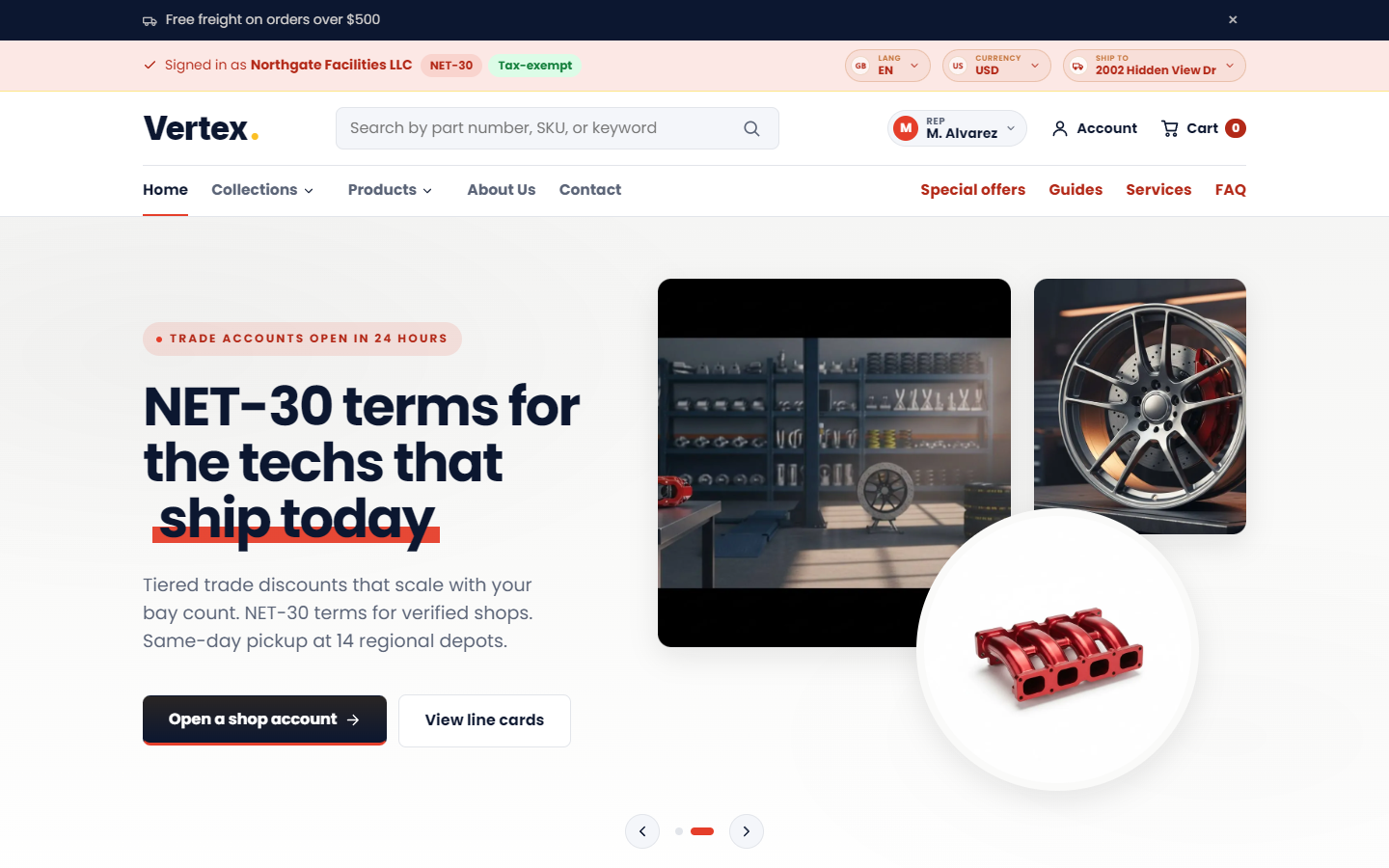
| Industry | Auto parts, performance, aftermarket, OEM replacement, motorcycle, marine, powersports |
| Accent color | Red-orange |
| Finder | Make / Model / Year fitment cascade (3 dropdowns) |
| Homepage hero | Fitment-first messaging ("Find parts for your vehicle") with the finder above product collections |
| B2B hooks | "Trade pricing", "Warehouse dispatch", "OEM cross-reference", "Dealer accounts" |
| Best for | Auto-parts distributors, performance shops, motorcycle, marine, RV parts, ATV, UTV, powersports |
The Throttle preset's defining feature is the fitment finder — a 3-step cascading dropdown (Make ▸ Model ▸ Year) rendered on the homepage hero, the collection page sidebar, and as an optional sticky bar. Buyers select their vehicle once; subsequent product views are filtered to fitment-matching parts only.
The red-orange accent maps to a performance / automotive / energy visual language — RockAuto and Summit Racing in a single theme.
Preset 3 — OfficeIT (office, IT, electronics)
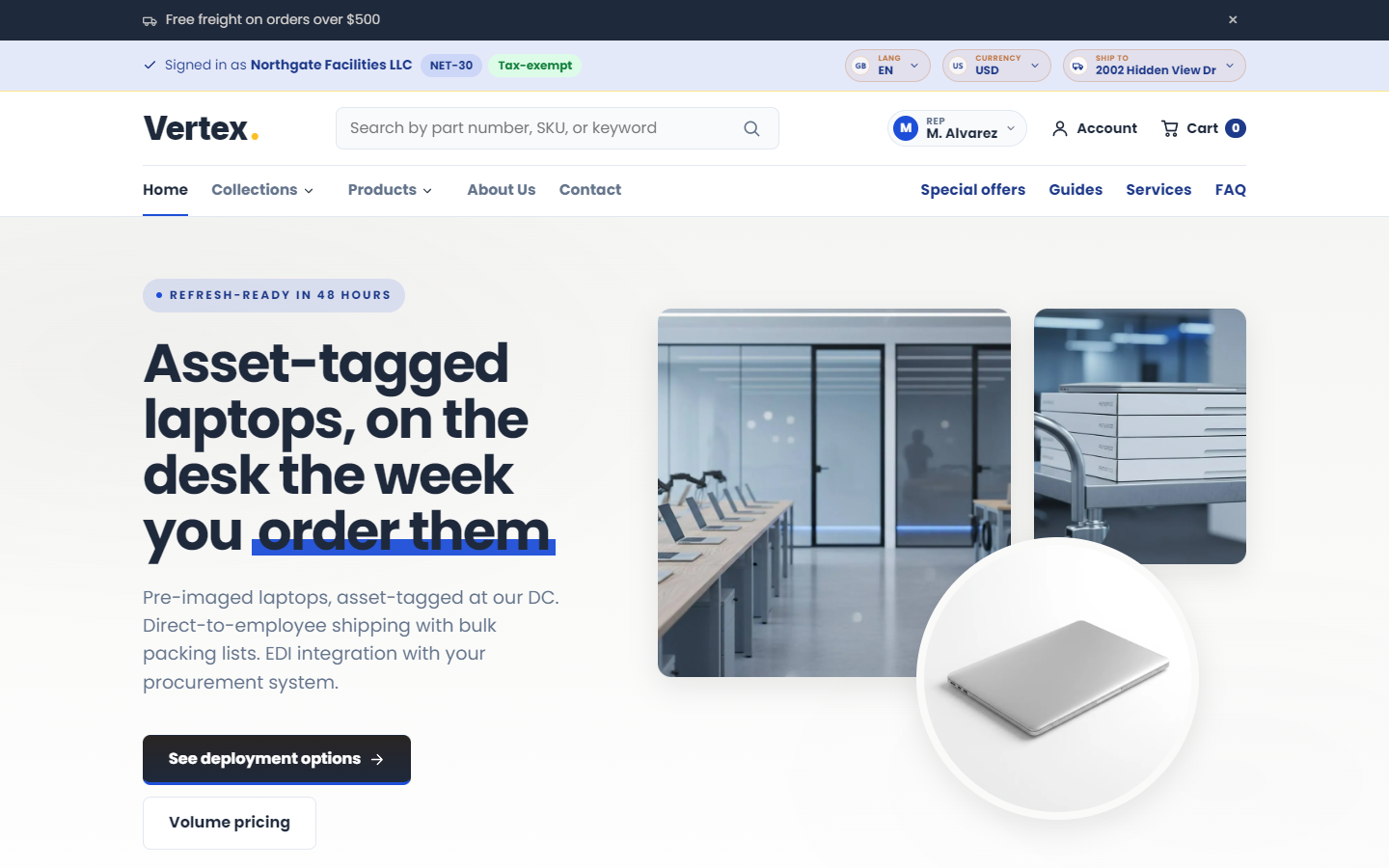
| Industry | Office supplies, IT hardware, electronics, copier paper, monitors, keyboards, laptops, bulk consumables |
| Accent color | Blue (corporate, IT-grade) |
| Finder | Brand / Category / Capacity cascade (3 dropdowns) — e.g., "HP ▸ Toner ▸ 5000 pages" |
| Homepage hero | Bulk-order messaging, B2B account hooks, NET-30 / invoice-billing CTAs |
| B2B hooks | "Bulk discounts", "Net-30 for business", "Free shipping over $X", "Dedicated account manager" |
| Best for | Office-supply distributors, IT resellers, electronics wholesalers, school and government supply, corporate procurement vendors |
OfficeIT leads with bulk B2B office orders — the buyer journey is "I need to outfit a 50-desk office" rather than "I need one mouse". The hero copy and CTAs surface bulk-order, RFQ, and NET-30 prominently; the homepage features the bulk-order quick-pad above the standard featured collection.
The blue accent maps to the corporate IT / Quill / Staples Business Advantage visual language buyers expect from this category.
Preset 4 — Inkline (print supplies)
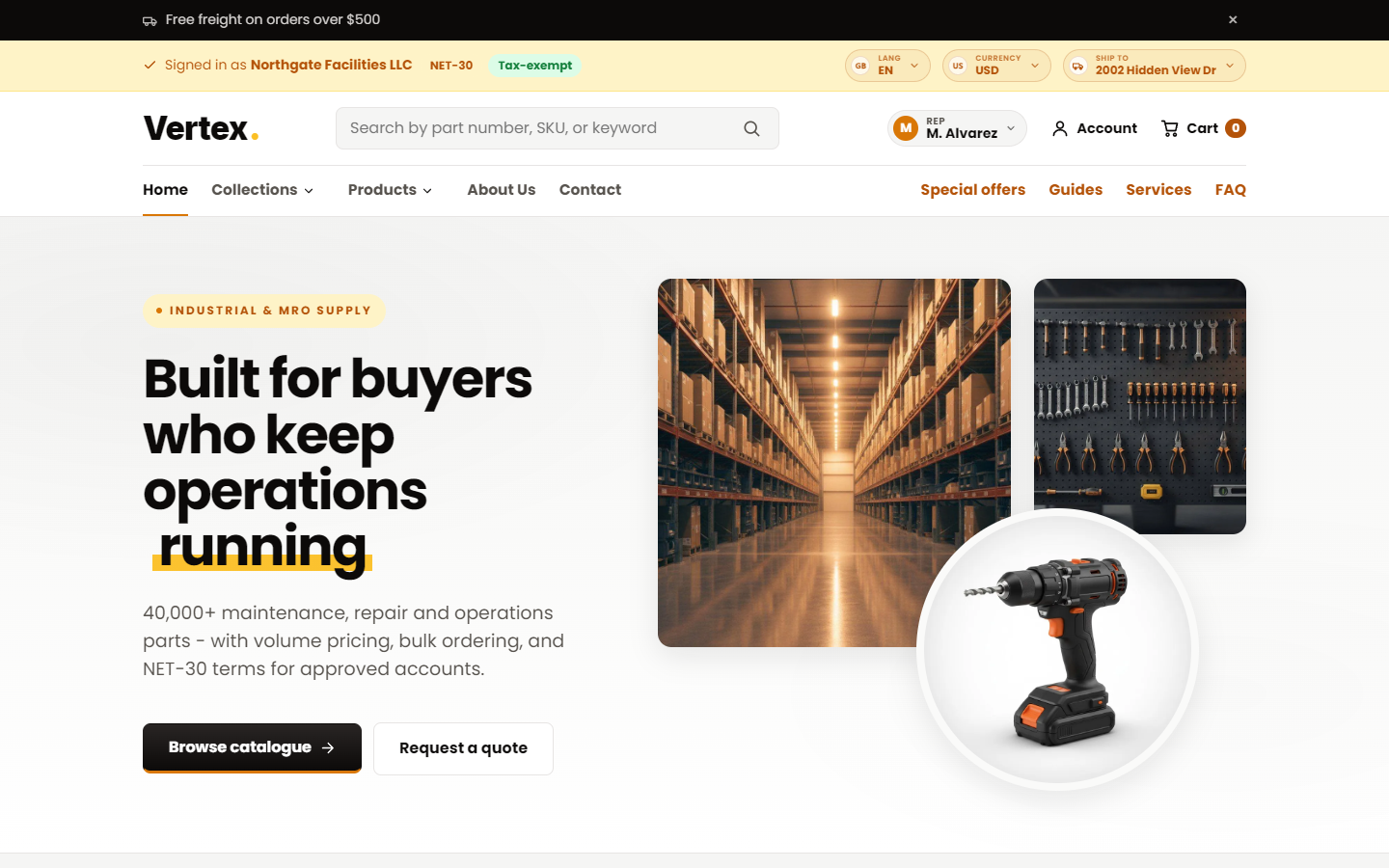
| Industry | Print supplies, toner, ink cartridges, reprographics, copier consumables, label media |
| Accent color | Teal |
| Finder | Printer Brand / Model / Color cascade (3 dropdowns) — e.g., "HP ▸ LaserJet Pro M404 ▸ Black" |
| Homepage hero | Cartridge-finder-first messaging ("Find the right cartridge for your printer") with the finder above product collections |
| B2B hooks | "Bulk toner pricing", "Net-30 for offices", "Genuine + compatible", "Auto-reorder reminders" |
| Best for | Print-supply distributors, toner and ink resellers, reprographics shops, managed-print-service vendors |
Inkline leads with the printer-cartridge finder — buyers pick their printer brand, model, and the cartridge color they need, and land on the matching cartridges only. The teal accent maps to a clean, office-print / reprographics visual language that pairs well with the OfficeIT family while standing on its own.
What's inside each preset
Every preset ships with its own:
- Homepage layout — section order, hero composition, and featured content tuned for that vertical
- Collection page tweaks — e.g., Throttle puts the fitment finder above the filters
- Product page tweaks — e.g., OfficeIT adds device-specific spec rows
- Accent color — flows through every button, pill, badge, link, focus ring, and hero CTA
- Hero imagery — about 3 hero variants per preset, all designed for the vertical
- Lifestyle imagery — about 3 lifestyle photos per preset (workshop, dealership, office, print-shop)
- Industry grid imagery — about 3 industry-card images per preset
- Demo copy — hero headlines, subheads, CTA labels, testimonial text — all tuned per preset
Switching presets is not "change one color and pray" — it's a coherent storefront swap.
How to switch presets
You have two ways to switch — permanent and temporary preview.
Permanent — via the theme editor
- Open the Shopify admin and go to Online Store ▸ Themes.
- Click Customize on Vertex.
- In the left sidebar, click Theme settings ▸ Colors.
- Scroll to Starter color palette.
- Choose one of:
- Custom — fully custom palette (uses your manual color pickers below)
- Vertex amber — amber industrial (default)
- Throttle red — red-orange auto parts
- OfficeIT blue — corporate blue
- Inkline teal — print-supply teal
- Save in the top right.
The accent color flips instantly. To also swap the homepage layout to that preset, see Switching the homepage layout below.
The color preset in Theme settings ▸ Colors only flips colors. To get the full preset experience (homepage layout, finder, lifestyle imagery), you also need to switch the homepage in the theme editor's template selector — see next section.
Temporary — via URL preview
To preview a preset on any storefront URL without applying it, append one of these to your address bar:
| Preset | Preview URL parameter |
|---|---|
| Vertex | (default — no parameter) |
| Throttle | ?view=throttle |
| OfficeIT | ?view=officeit |
| Inkline | ?view=printsupply |
For example:
https://your-store.myshopify.com/?view=throttlehttps://your-store.myshopify.com/collections/all?view=officeithttps://your-store.myshopify.com/?view=printsupply
Shopify's native template suffix feature renders the page using the alternate preset for that single view. Nothing is saved; refreshing without the parameter reverts to your default.
Use this to:
- A/B test a preset with a small audience before committing
- Send a demo URL to a stakeholder ("look at how the auto-parts version of our store would feel")
- Compare hero compositions side-by-side in two browser tabs
Switching the homepage layout
To permanently apply a preset's homepage layout:
- Open Online Store ▸ Themes ▸ Customize.
- In the top template selector, choose the alternate homepage for the preset you want.
- Save.
Nothing forces you to use a preset's homepage with its accent. You can use the Throttle homepage layout (because you love the fitment-finder-first composition) with the OfficeIT blue accent (because it matches your brand) and OfficeIT's bulk-order pad section (because your buyers paste from spreadsheets). Vertex is composable.
How the accent color flows through the storefront
When you pick a starter palette in the theme editor, Vertex updates one global accent color that flows through every component — buttons, pills, badges, links, focus rings, dropdown highlights, the B2B greeting bar, finder dropdowns, hero CTAs. Flipping the palette flips the entire storefront's accent in one save.
If you want a fully custom brand color outside the four presets, pick Custom in Theme settings ▸ Colors ▸ Starter color palette and use the color pickers below to set your own accent and "on accent" (text-on-accent) colors.
Choosing your preset — decision matrix
Use this to pick a starting point. Remember: you can override anything afterward.
| If you sell... | Start with | Reason |
|---|---|---|
| Fasteners, hand tools, lubricants, abrasives, hardware, general MRO | Vertex | Generic industrial baseline, no finder needed (faceted filters do the work) |
| Auto, motorcycle, marine, RV, powersports parts | Throttle | The fitment finder is the make-or-break feature for this vertical |
| Office, IT, electronics, copier supplies, school or government supply | OfficeIT | Bulk B2B office orders + corporate IT visual language |
| Toner, ink, cartridges, reprographics, managed-print consumables | Inkline | The Printer Brand / Model / Color finder is the make-or-break feature for this vertical |
| Janitorial / sanitation (JanSan) | Vertex | Vertex's MRO baseline maps cleanly to JanSan; no specialized finder needed |
| Industrial chemicals or lubricants with technical data sheets | Vertex | Tech-spec tables and documents block are core to the Vertex preset |
| Construction materials (lumber, concrete, drywall) | Vertex | Vertex baseline + bulk-order page work well; consider OfficeIT blue if you want a cooler palette |
| Wholesale-only (no B2C) | Vertex or OfficeIT | Either works; pick the accent that matches your brand. Switch Storefront mode to B2B-only. |
Customizing a preset
Presets are starting points. After installing, you can:
| Customize | How |
|---|---|
| Accent color | Theme settings ▸ Colors ▸ Starter palette ▸ Custom, then pick your own accent |
| Logo | Theme settings ▸ Logo — replace the demo logo with your own SVG or PNG |
| Homepage section order | Theme editor ▸ Home — drag sections to reorder, or add and remove sections |
| Hero imagery | Click the Hero section in the theme editor, replace each slide's image |
| Lifestyle and industry imagery | Replace per-section in the theme editor; each section has an Image picker |
| Finder dropdown labels and data | (Throttle, OfficeIT, Inkline) — see Finder setup guide |
| Typography | Theme settings ▸ Typography — heading font, body font, scale ratio |
| Copy and CTAs | Edit text inline in the theme editor for every section |
| Translations | Theme settings ▸ Languages — provide custom strings via the language editor |
After customizing, you can save your work as a named theme in Online Store ▸ Themes ▸ Theme library — useful when running A/B tests or staging visual changes.
Related reading
- Overview — Why Vertex ships 4 presets in one theme
- Installation — Theme install and preset selection during setup
- Theme settings reference — Colors ▸ Starter palette and per-preset settings
- Markets & multi-currency — Each preset works identically across all markets
- Storefront mode guide — How Hybrid / B2B-only / B2C-only interact with presets
- Customer account dashboard — Identical across all presets (only accent color flips)
- RFQ page guide — Identical across all presets
- B2B setup guide — Same B2B configuration works for all 4 presets
Summary
- Vertex ships 4 demo presets in a single theme license: Vertex (industrial amber), Throttle (auto-parts red-orange), OfficeIT (office/IT blue), Inkline (print-supply teal).
- Each preset has its own homepage layout, finder, accent color, and about 9 lifestyle images.
- Switch permanently in Theme settings ▸ Colors ▸ Starter palette and via the homepage selector in the theme editor.
- Switch temporarily for previews by appending
?view=throttle | officeit | printsupplyto any storefront URL. - Presets are starting points — accent color, homepage layout, finder, imagery, and copy are all independently overrideable.