Landing Page Setup
Açılış sayfanız potansiyel müşterilerin ilk gördüğü şeydir. It's where they learn about your CRM service, view your pricing plans, and sign up. A great landing page = more customers. Let's make yours amazing.
Good news - you already have a landing page! As soon as you install and activate the SaaS module, a beautiful default landing page is automatically set up on your domain. You don't need to build anything from scratch - just customize it to match your brand and you're ready to start accepting signups!
Watch the Video Tutorial
Accessing Landing Page Settings
- Go to SaaS Management → SuperAdmin Settings
- Click the Landing Page Settings tab
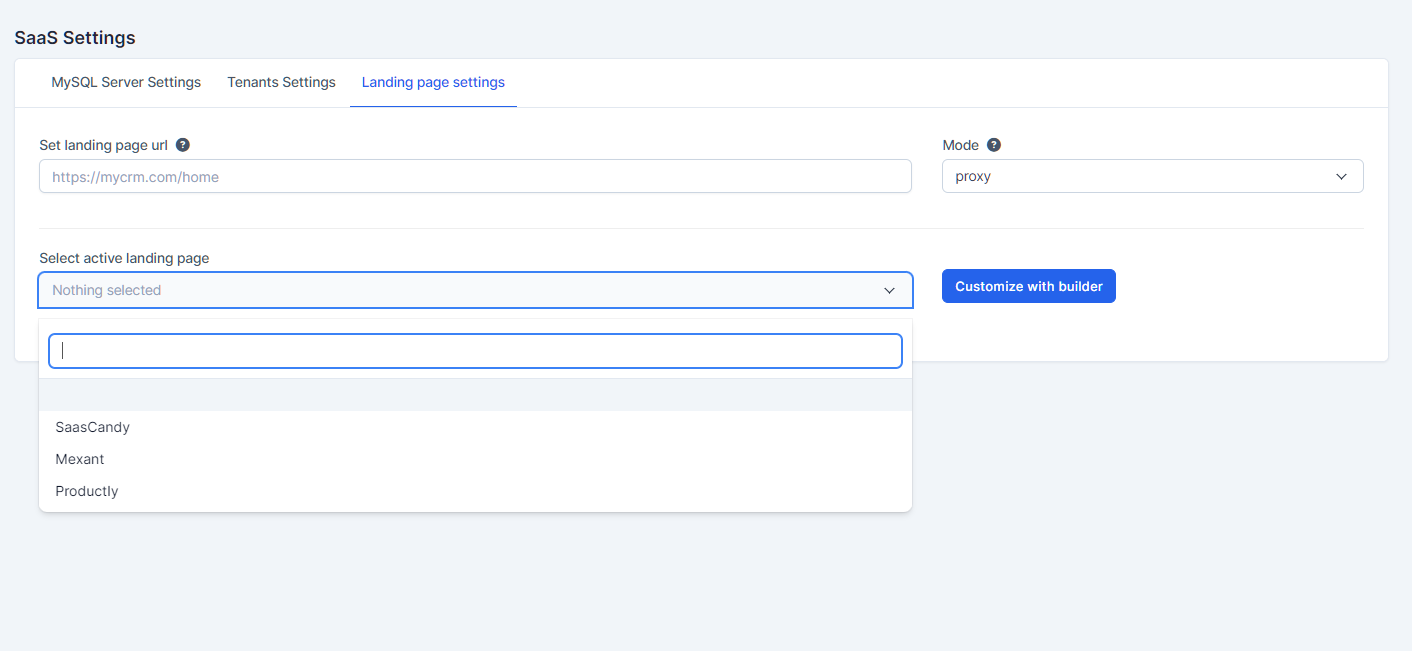 Landing Page Settings - choose your template, set the URL, and select the display mode
Settings Explained
Set Landing Page URL
This is the URL where your landing page will be accessible.
| Field | Example | Notes |
|---|---|---|
| Landing Page URL | https://mycrm.com/home | This is the public URL customers visit |
Mode
Choose how the landing page is served:
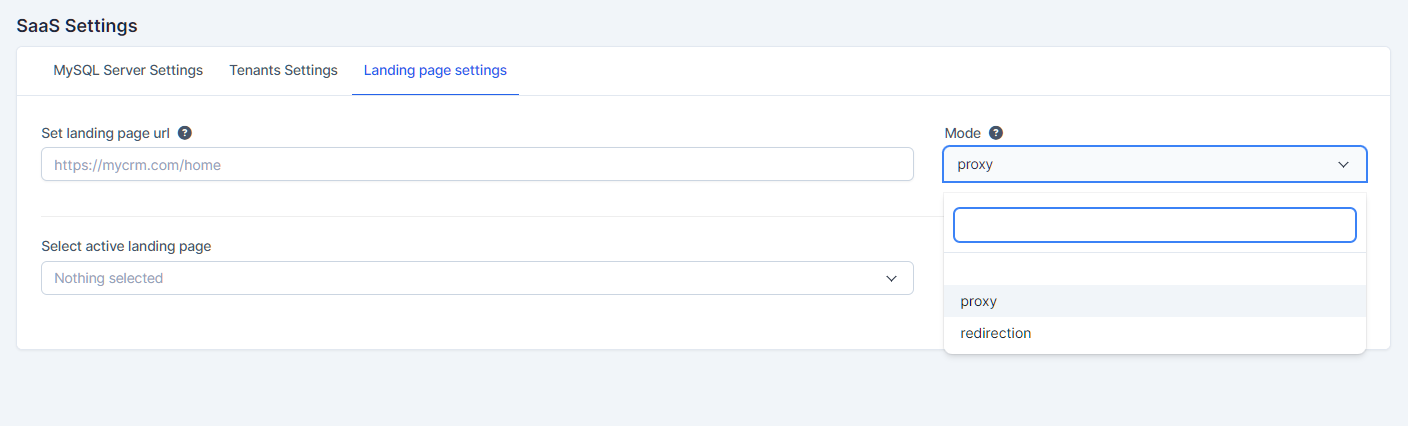 Choose between "proxy" and "redirection" modes
| Mode | What It Does | Best For |
|---|---|---|
| Proxy | The landing page is served through your main domain | Clean URLs, SEO benefits |
| Redirection | Visitors are redirected to the landing page URL | Simple setup, works everywhere |
We recommend "Proxy" mode - it gives a cleaner experience and better SEO because the URL stays consistent.
Select Active Landing Page
Choose from the built-in landing page templates:
| Template | Style | Best For |
|---|---|---|
| SaasCandy | Modern, colorful, SaaS-focused | Most SaaS businesses |
| Mexant | Clean, minimal, professional | B2B, enterprise |
| Productly | Product-focused, feature-rich | Feature-heavy platforms |
Three beautiful templates included - or build your own with the Landing Page Builder!
What Your Landing Page Includes
Each template comes with these sections out of the box:
| Section | What It Shows |
|---|---|
| Hero Section | Eye-catching headline and call-to-action |
| Features | Your CRM's key features and benefits |
| Pricing | Your subscription plans laid out beautifully |
| Registration Form | Where customers sign up for an account |
| Testimonials | Social proof (you can add your own) |
| Footer | Contact info, links, copyright |
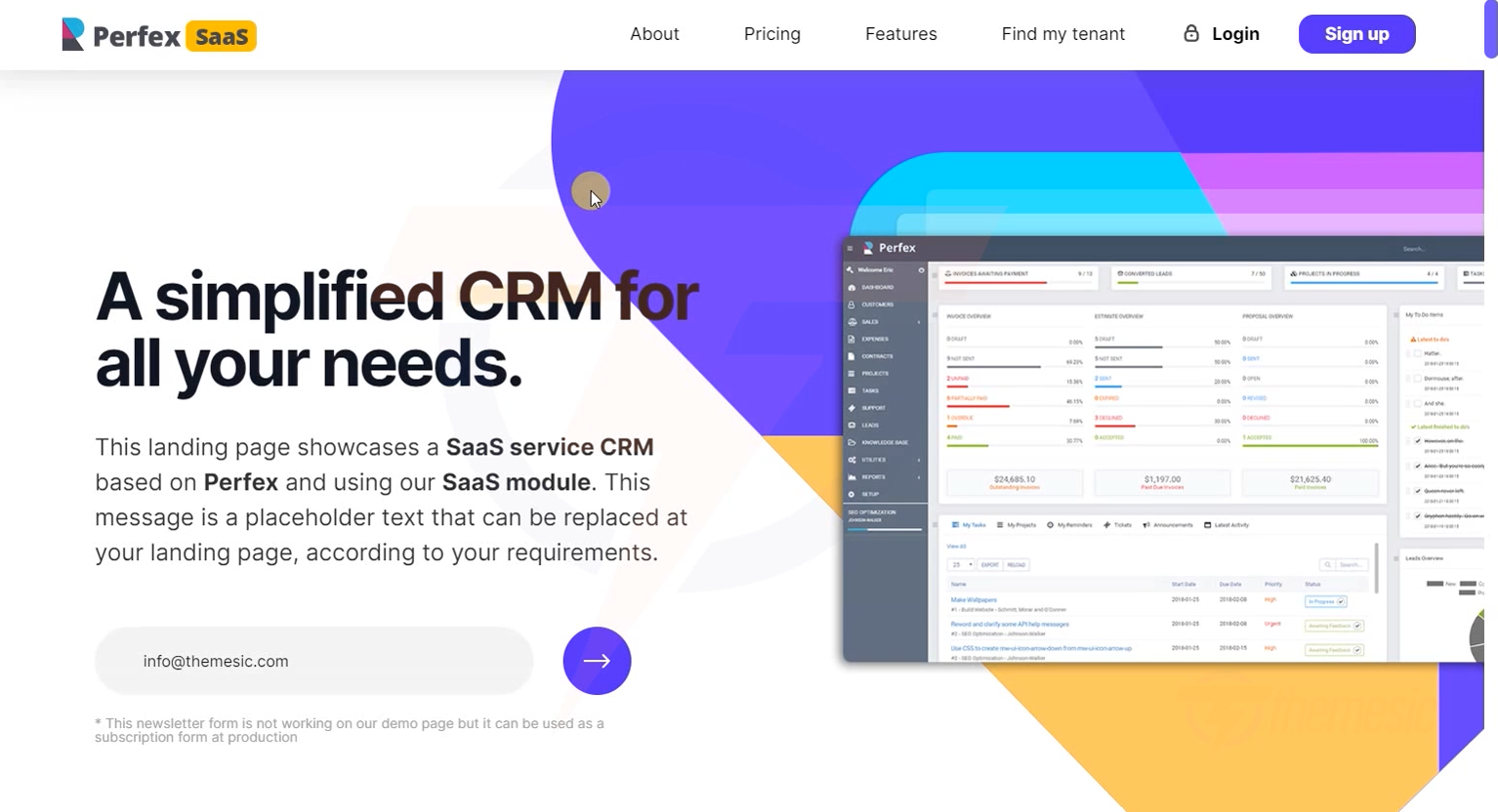 The SaasCandy theme - a beautiful, conversion-optimized landing page ready to use
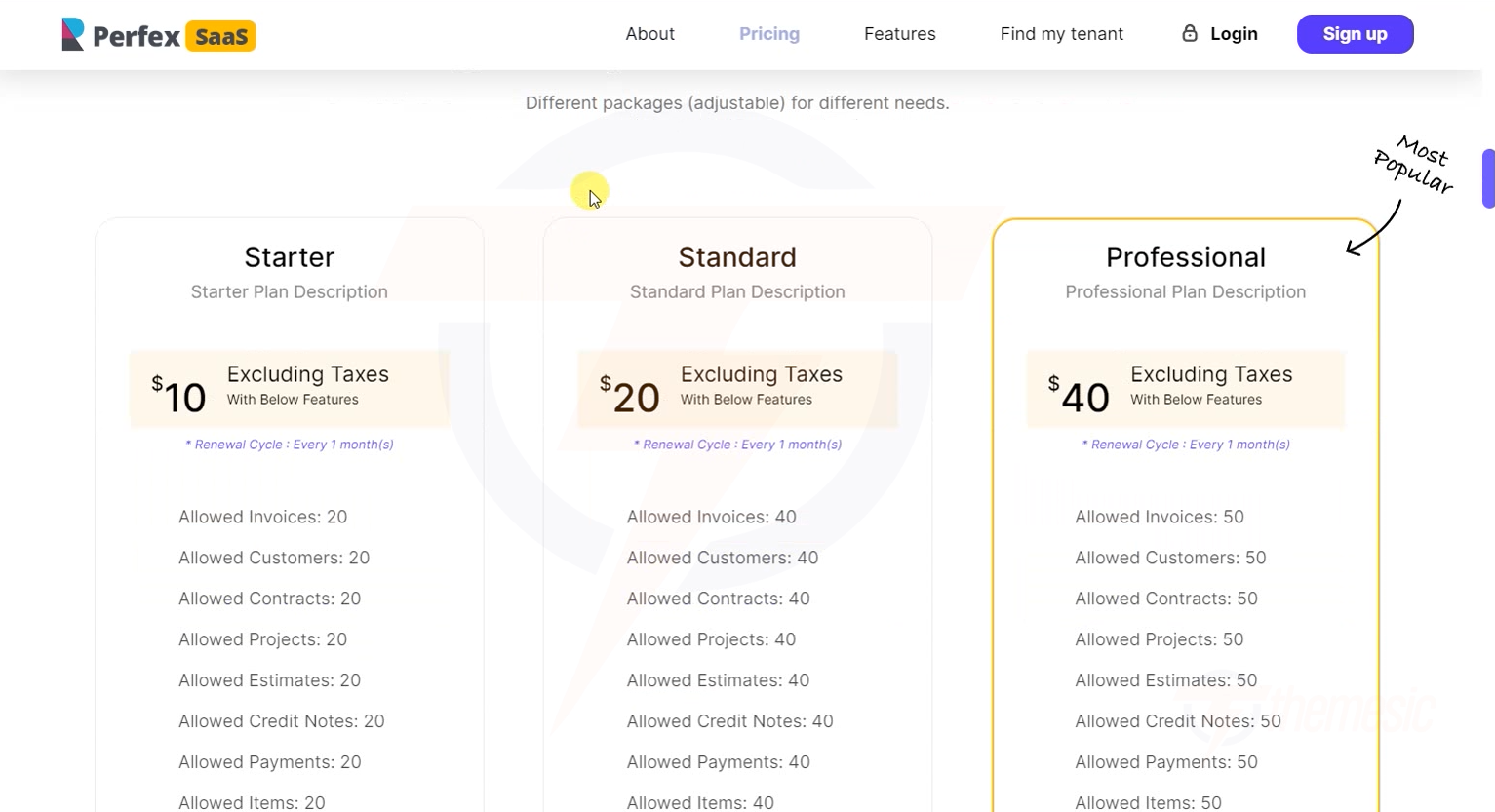 Your pricing plans are automatically displayed - showing features, prices, and a "Get Started" button
Customizing with the Landing Page Builder
Want more control? Use the Landing Page Builder - a visual drag-and-drop editor that lets you customize every element.
See the full guide: Landing Page Builder
Quick Customization with the Builder
- Click "Customize with builder" on the Landing Page Settings page
- The visual editor opens
- Click any element to edit it
- Drag sections to reorder them
- Click Save Page when done
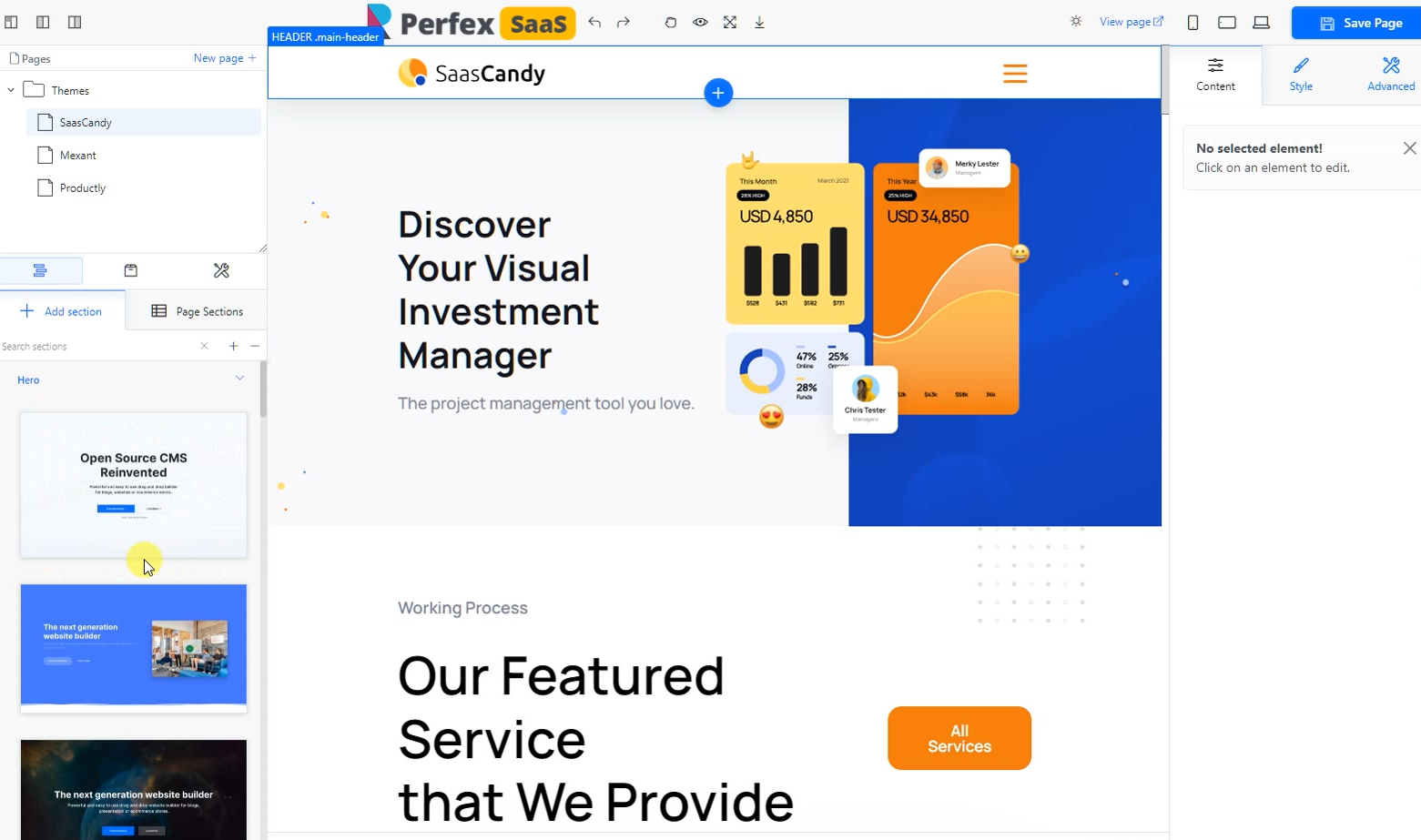 The drag-and-drop Landing Page Builder - customize everything visually, no coding required!
Landing Page Best Practices
1. Clear Value Proposition
Your headline should instantly tell visitors what you offer:
- ✅ "Get a Powerful CRM for Your Business - Starting at $10/month"
- ❌ "Welcome to Our Platform"
2. Social Proof
Add testimonials, customer logos, or statistics:
- "Trusted by 500+ businesses worldwide"
- "4.8/5 stars on CodeCanyon"
3. Clear Pricing
Show all plans side-by-side with clear feature comparison. Our templates do this automatically!
4. Strong Call-to-Action (CTA)
Every section should have a clear next step:
- "Start Your Free Trial"
- "Get Started in 60 Seconds"
- "Try It Free for 14 Days"
5. Mobile Responsive
All our templates are fully responsive. But always test on mobile - over 50% of traffic comes from mobile devices.
Conversion Tip: The single most impactful thing you can do for your landing page is to offer a free trial. People are much more willing to try something for free than to pay upfront. Once they see the value, upgrading to a paid plan is an easy decision.
Landing page configured? For advanced customization, check out the Landing Page Builder. Or skip ahead to Custom Domains to enable custom domain support for your tenants.