Color Palettes
Departo colors every button, sticker, badge, panel, footer and price from one palette. Change it in Theme settings > Colors > Palette.
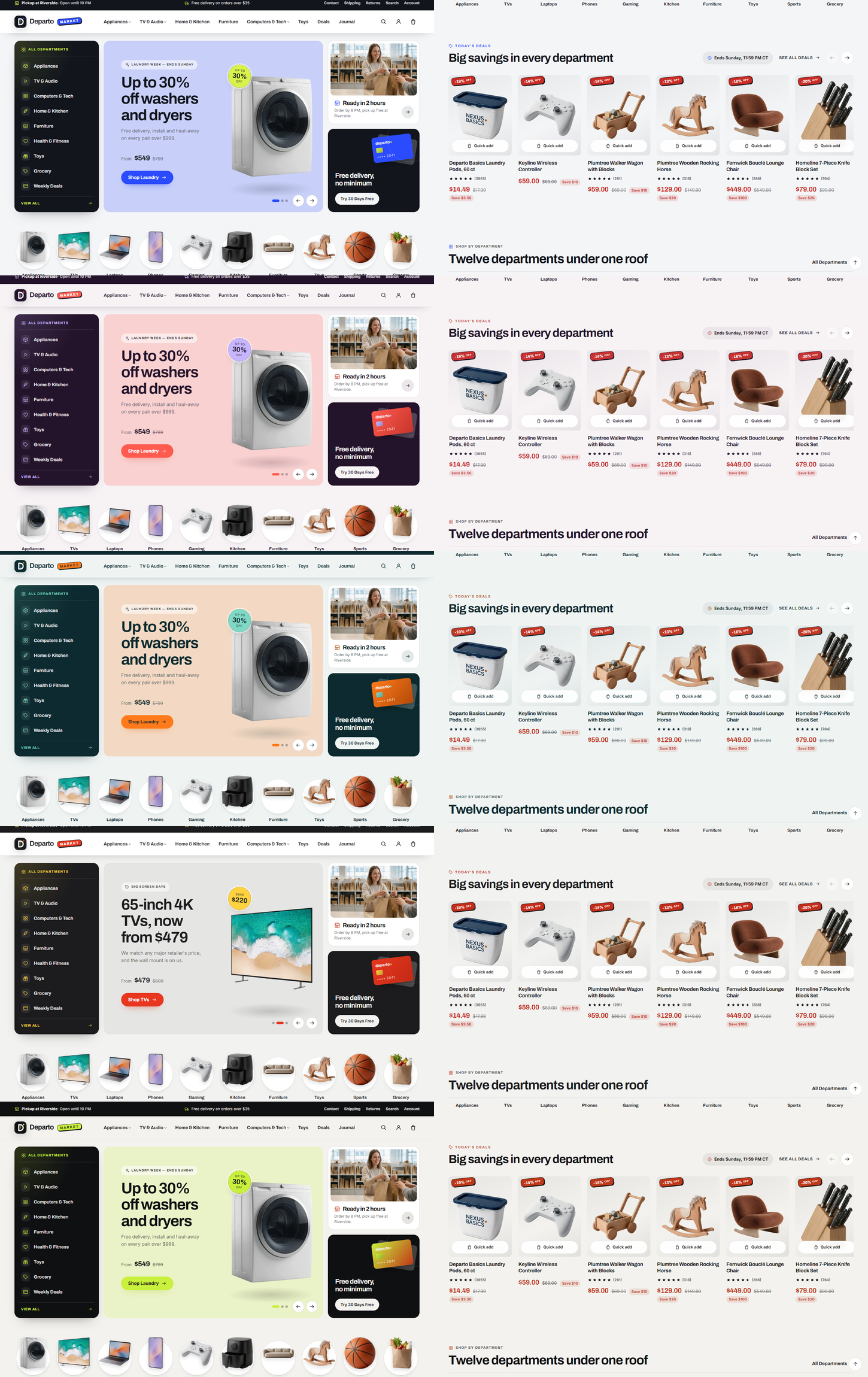
Ready-made palettes
| Palette | Look |
|---|---|
| Ink and lime (default) | Near-black ink with acid lime buttons and stickers, red for sales |
| Cobalt and citron | Cool white and electric blue with a citron highlight |
| Aubergine and coral | Deep plum with coral actions and soft lilac |
| Deep teal and tangerine | Teal base with tangerine buttons and mint highlights |
| Graphite and signal red | Neutral graphite with red actions and a yellow highlight |
| Market classic | Warm cream, forest green, terracotta and mustard |
All ready-made palettes meet WCAG AA contrast for text.
Custom palette
- Set Palette to Custom
- Use the color pickers below it
Tips for a readable custom palette:
- Accent can be light (lime, yellow) because it is used for filled buttons. Set Text on accent to a dark color in that case.
- Accent - deep and Sale price are used as text on the page background. Keep a contrast ratio of at least 4.5:1.
- Highlight / gold is used on dark panels and stickers.