Product, Collection and Cart
Product page
Open any product in the theme editor and select the Product section.
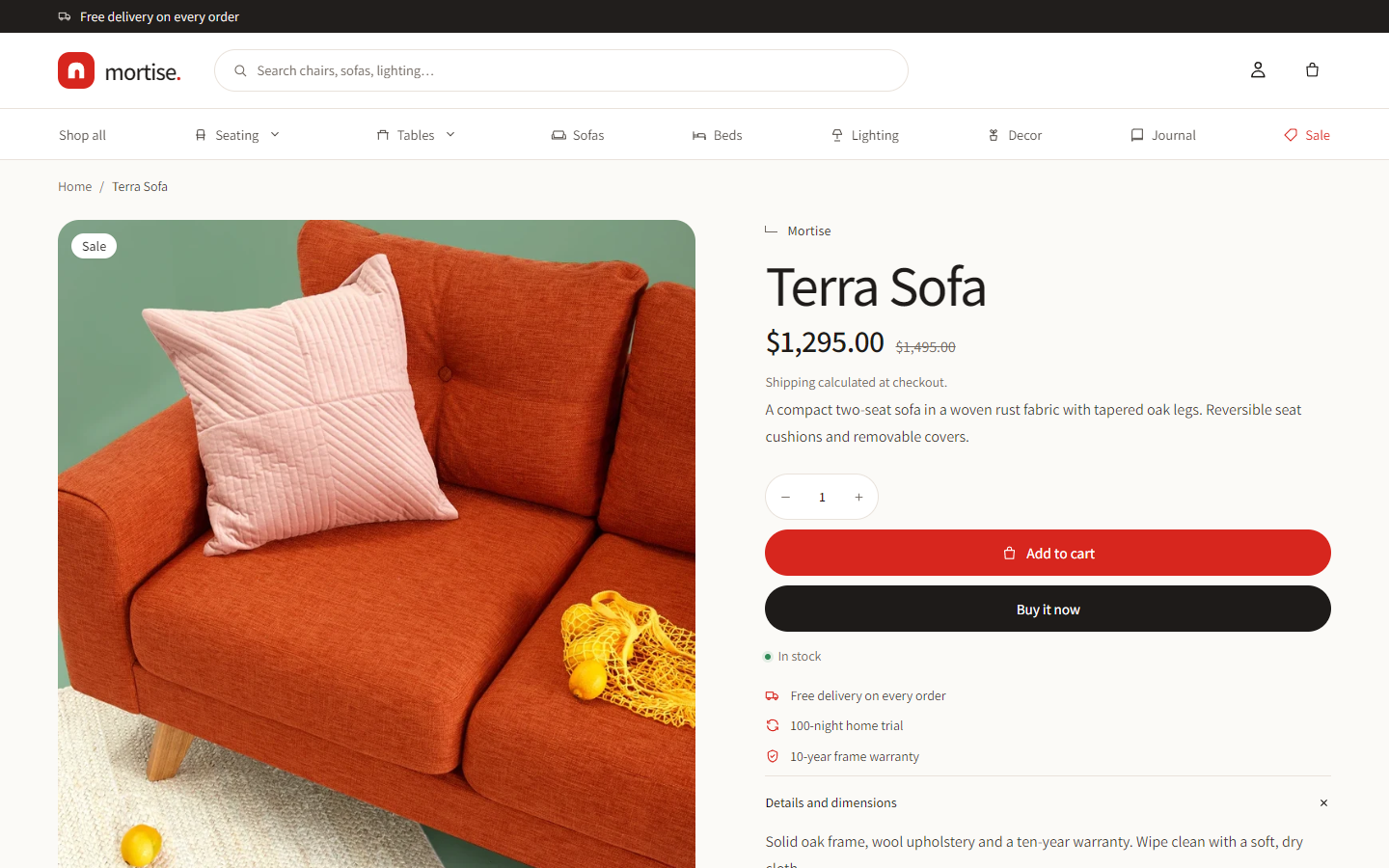
The page is built from blocks. Drag blocks to reorder them, remove the ones you do not need, and add more with Add block.
| Section setting | Use |
|---|---|
| Show breadcrumbs | Home > Collection > Product |
| Open the first collapsible row | Opens the first collapsible row when the page loads |
| Block | Use |
|---|---|
| Vendor | The vendor above the title, or the product type when there is no vendor |
| Title | The product title |
| Rating | Stars from the reviews.rating metafield |
| Price | Price, compare-at price, unit price and a tax and shipping note |
| Description | The product description |
| Variant picker | Option buttons that show availability. Color and image swatches show when you set them on the option |
| Quantity selector | The quantity field |
| Buy buttons | The add to cart button, dynamic checkout buttons (Shop Pay, Apple Pay and others) and payment terms such as Shop Pay Installments. Gift card products also show recipient fields |
| Pickup availability | Shows whether the product can be picked up from your locations |
| Benefit | An icon (truck, shield, returns, star, package or check) with a short line, for example "100 nights to try it at home" |
| Collapsible row | A heading with rich text, or content from a page (for example your Care guide) |
| SKU and type | The SKU and the product type |
| Share | Native share or copy link |
| Custom Liquid | Your own Liquid or HTML. Use it for app snippets |
| App | An app block, such as a reviews or size-guide app |
Below the product, two recommendation sections load: Complementary products ("Pairs well with") and Related products. Both are Product recommendations sections with a Recommendation type setting.
The gallery shows images, videos, YouTube and Vimeo videos and 3D models. When a customer picks a variant that has its own image, the gallery jumps to that image.
Product metafields
All metafields are optional.
| Namespace and key | Type | Use |
|---|---|---|
custom.badge | Single-line text | A badge on the card and the product page, for example "New" or "Limited" |
reviews.rating | Rating | Star rating, for example 4.8 |
reviews.rating_count | Integer | Number of reviews shown next to the stars |
If custom.badge is empty, Mortise shows a sale badge when a compare-at price exists, and "New" or "Bestseller" when the product has that tag.
Collection page
| Setting | Use |
|---|---|
| Products per page | 8 to 36, default 12 |
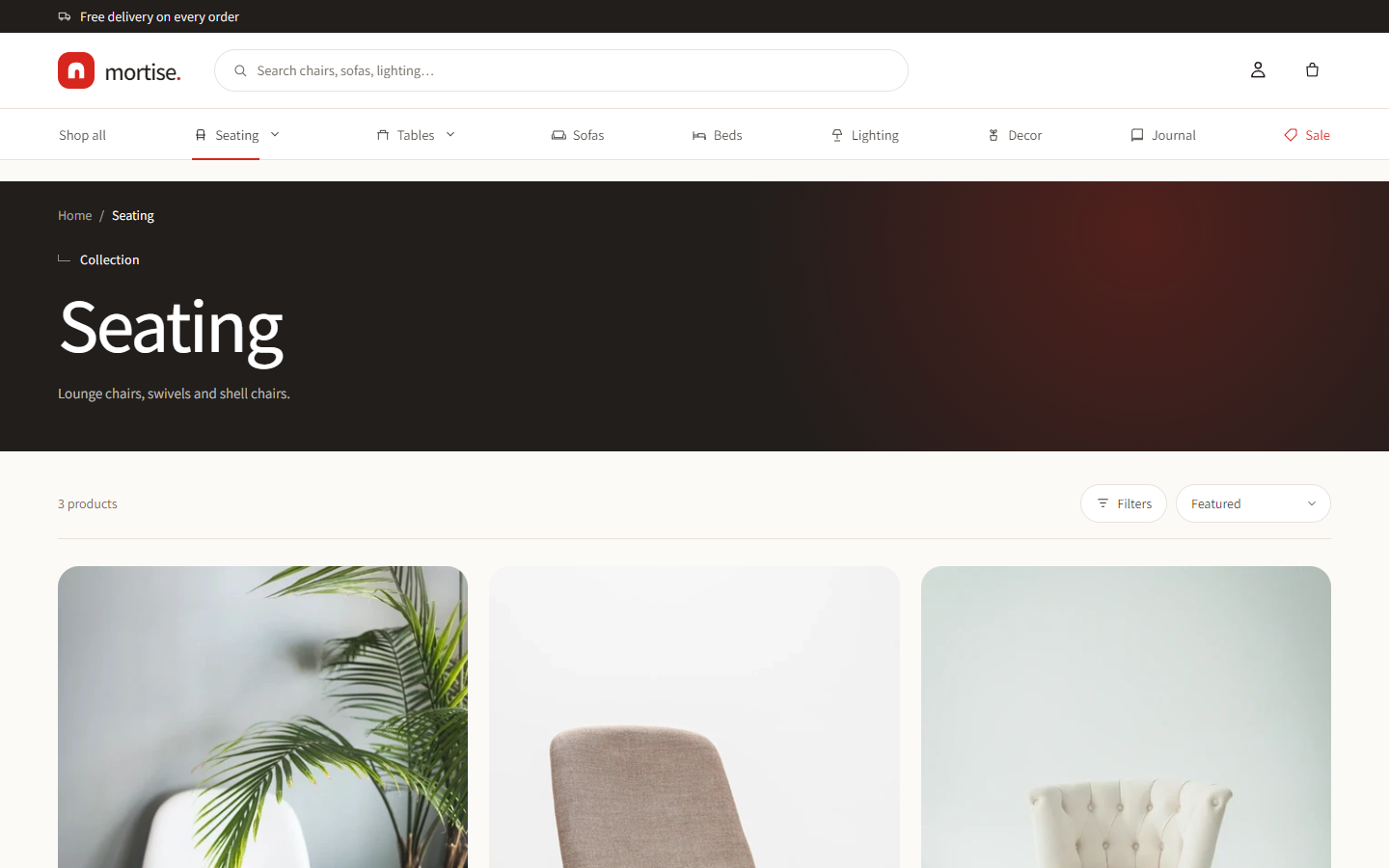
The page shows the collection banner (image and description), the product count, a sort menu and a filter drawer. Filters come from Online Store > Navigation > Collection and search filters: availability, price, product type, vendor, tags and product options. Active filters appear as chips with a Clear all link.
Cart page and drawer
| Setting | Use |
|---|---|
| Show order note | A note field on the cart page |
| Show payment icons | The accepted payment icons |
The cart drawer and the cart page show the same cart. Quantity changes and removals update without reloading the page.
Search
The search icon opens a dialog with predictive search. Results are grouped into products, pages and articles, with a link to all results. The search results page shows a Filters button when you set up filters in Online Store > Navigation > Collection and search filters.